


Location-based options
Use Town / City and county information with a managed location directory and editable aliases.
WooCommerce
Manage location-based delivery estimates, courier choices, pickup and payment timing inside WooCommerce checkout. Administrators can configure delivery options and the fees their own business actually charges.
Delivery rules need to be consistent with the selected destination and permitted payment method. Ndovu Shipping uses native checkout fields and server-side rules to keep the selected shipping charge attached to the order.
Use Town / City and county information with a managed location directory and editable aliases.
Add, rename, reorder or disable options and define their geographic coverage and price source.
Classify installed gateways by payment timing and enforce the configured delivery/payment combinations.
Integrate with classic checkout and native Checkout Blocks; the source declares HPOS and Blocks compatibility. Site acceptance testing remains necessary.
Declared minimums describe the reviewed code, not a promise of compatibility with an untested website.
These are configured merchant fees, not live courier quotations. There is no carrier booking, label purchase, dispatch or payment-gateway installation.
Requires WooCommerce and KES/Kenya delivery configuration. Review every seeded location and merchant-specific rate before installation. No universal Exelic delivery prices are advertised.
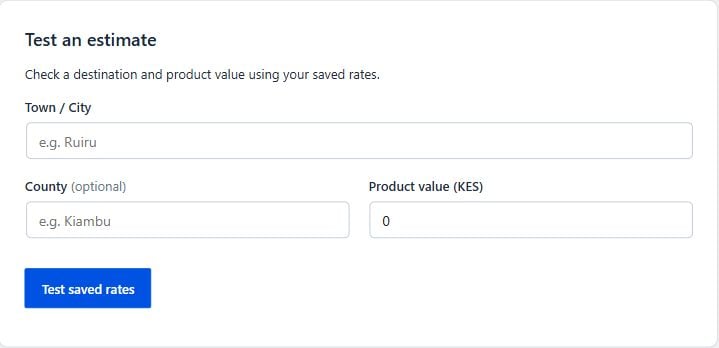
Agree the intended workflow, test representative inputs in a suitable environment and verify the published result. Keep an explicit record of the settings and systems that own the underlying data.
Public downloads are not enabled. Request a demonstration or access discussion so we can review your website, requirements and deployment readiness.
We review the declared requirements and test the relevant theme, integrations and workflows for your environment. A working implementation on another website is not a compatibility guarantee.
Licensing, installation scope, maintenance and support are confirmed before an engagement. No public subscription, price or license entitlement is advertised here.
Requires WooCommerce and KES/Kenya delivery configuration. Review every seeded location and merchant-specific rate before installation. No universal Exelic delivery prices are advertised.
Clear product configuration choices
WordPress + WooCommerce
Available by consultationExplore product ↗Reviewed supplier pricing and stock workflows
WordPress + WooCommerce
Available by consultationExplore product ↗Share your website, current systems and the workflow you want to improve. We will discuss an appropriate scope before proposing access or installation.
Request a Demo