


Branches and topics
Configure contact destinations and topic choices for the relevant business teams.
WhatsApp & Communication
Connect website visitors with a relevant WhatsApp or telephone destination. Configure branches, opening schedules, enquiry topics and contact placements around the way your business handles enquiries.
A single contact button can send every visitor to the same person without useful context. The router organizes contact choices and can include supported product or listing context in an enquiry.
Configure contact destinations and topic choices for the relevant business teams.
Set business-hour schedules and use floating or embedded contact buttons where appropriate.
Use the supported WooCommerce and listing integrations to help explain what the visitor is asking about.
Review first-party website/contact reports with retention and privacy controls. Contact actions do not prove completed sales.
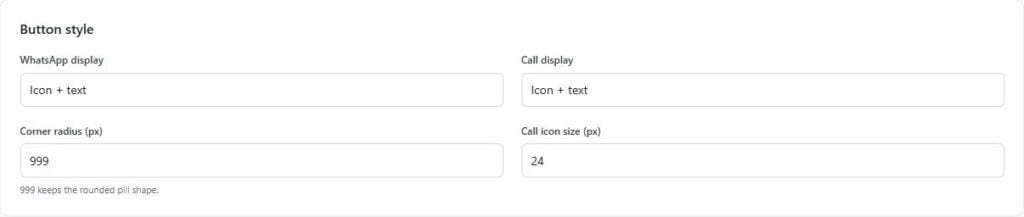
Example choices only. This demonstration sends no messages and records no contact events.
Choose a topic and branch to see the illustrative route.
Declared minimums describe the reviewed code, not a promise of compatibility with an untested website.
WhatsApp and telephone handoffs use the visitor’s device and the configured external service. The example below is an illustration and does not send a message or record a lead.
Confirm public contact numbers, branch responsibilities, schedules and consent requirements. Configure only the integrations your website uses and test the actual destination for each route.
Agree the intended workflow, test representative inputs in a suitable environment and verify the published result. Keep an explicit record of the settings and systems that own the underlying data.
Public downloads are not enabled. Request a demonstration or access discussion so we can review your website, requirements and deployment readiness.
We review the declared requirements and test the relevant theme, integrations and workflows for your environment. A working implementation on another website is not a compatibility guarantee.
Licensing, installation scope, maintenance and support are confirmed before an engagement. No public subscription, price or license entitlement is advertised here.
Confirm public contact numbers, branch responsibilities, schedules and consent requirements. Configure only the integrations your website uses and test the actual destination for each route.
SEO management for WordPress
WordPress
Available by consultationExplore product ↗Consent-aware saved-cart and recovery workflows
WordPress + WooCommerce
Available by consultationExplore product ↗Share your website, current systems and the workflow you want to improve. We will discuss an appropriate scope before proposing access or installation.
Request a Demo